Website Navigation Best Practices That Improve Trust and Conversions

Website Navigation Best Practices That Improve Trust and Conversions

Last update:
July 4, 2026
Navigation is conversion infrastructure. Design IA from user intent, use a three-layer spine (primary, secondary, utility), prioritize search, mobile thumb reach, accessibility, and performance. Measure and iterate; adapt highlights, keep core stable.

Short Answer

Approach: Treat Navigation as a Product

Start with information architecture driven by real user intent from search, sales, and support. Implement a stable three-layer model:

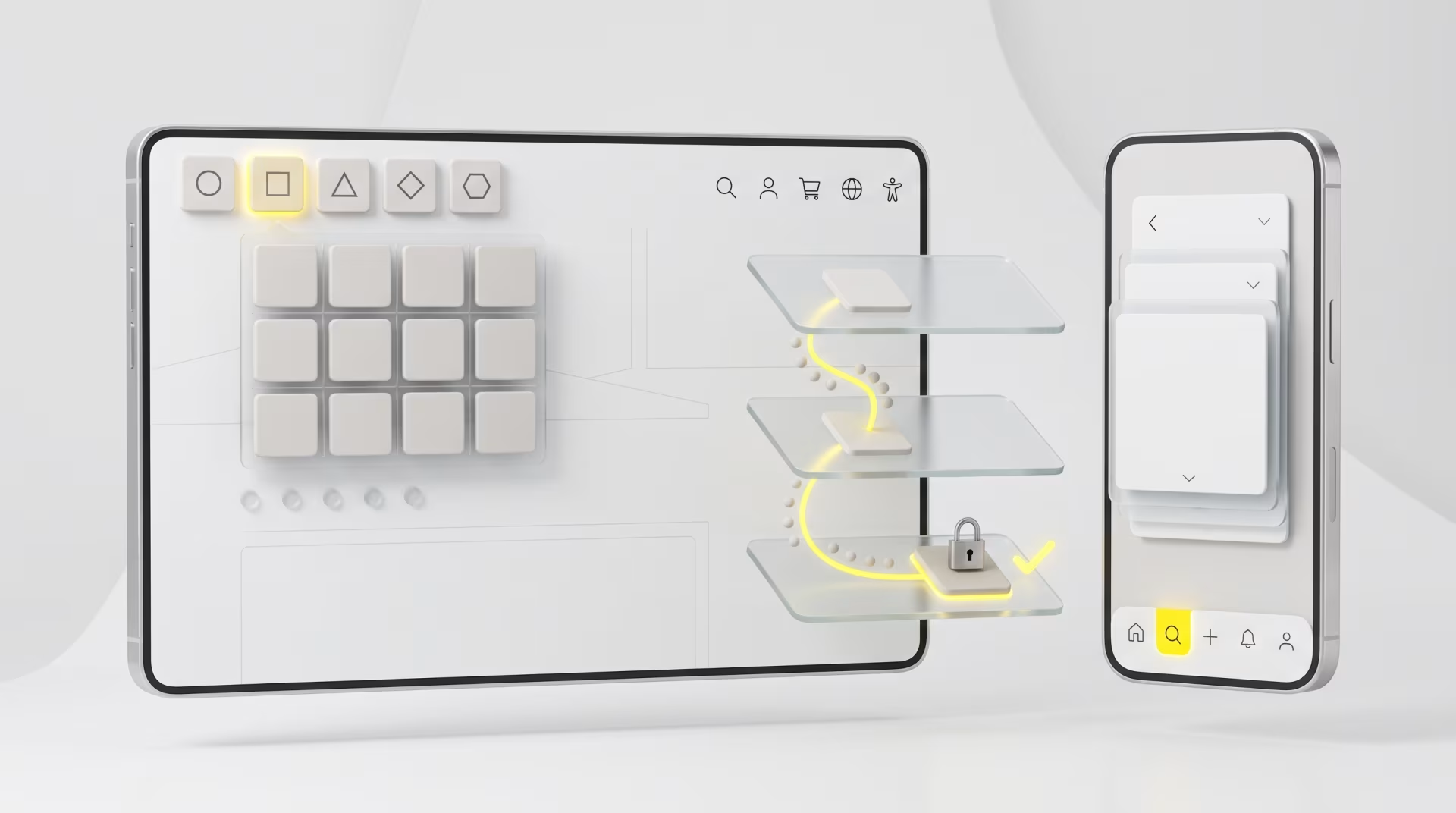
Primary (5–7 noun-based categories), Secondary (contextual subnav, clear active states, breadcrumbs), and Utility (search, login, cart, accessibility).

Mobile-first: bottom bar for frequent actions, thumb-reachable search, progressive disclosure for depth.

Pair navigation with search: autosuggest, synonym mapping, and helpful zero-results.

Measure and iterate: track task completion, time-to-first-meaningful-action, pogo-sticking, and rage clicks; A/B test behind flags and monitor cohorts.

Govern changes with a cross-functional council, prioritize accessibility, performance, and predictable behavior to protect returning users.

Complete Article

If users do not instantly understand how to move through your website, they will not trust it. Navigation is not decoration, it is your conversion infrastructure. It sets expectations, signals credibility, and compresses the time from interest to action. High-performing brands treat navigation as a product, not a header. They design it with the same rigor they apply to pricing pages, funnels, and roadmaps.

What trustworthy navigation really does

Reduces ambiguity: People should know where they are, what is possible next, and what will happen when they click.

Reveals scope: The structure shows the full shape of your offer without overwhelming the user.

Communicates authority: Clear, consistent labels and stable patterns project operational excellence.

Collapses time-to-value: The path to key actions is short, visible, and predictable.

Start with information architecture that mirrors real behavior

Most navigation problems are architecture problems disguised as design. Before pixels, map intent.

Capture customer language: Review search queries, sales transcripts, and support tickets. These reveal the nouns and verbs your audience uses. Labels should reflect their words, not your org chart.

Tree test your structure: Validate proposed hierarchies with quick unmoderated tests. If users cannot find critical items in under 15 seconds, fix the structure before you style it.

Group by task, not department: Organize around how people shop, evaluate, and buy, not how you are structured internally.

Keep labels literal: Choose Pricing over Plans, Enterprise over Scale, Platform over The Stack unless your audience consistently uses those terms.

Design the three-layer navigation model

Healthy navigation has a stable spine with three distinct layers. Each has a job. Keep them clean and do not let them blur.

Primary: The top-level categories that express your offer and route to revenue. Limit to five to seven items. Prefer nouns that match customer mental models. Avoid drop-downs for items that are not browsed at scale.

Secondary: Contextual subnavigation that appears within sections. It should clarify the user's current location and next-best steps. Use clear active states and page-level breadcrumbs.

Utility: High-intent helpers like Search, Login, Cart, Language, and Accessibility. These should be visually consistent and available on every page. Treat Search as a first-class citizen, especially on mobile.

Header patterns that convert

Mega menus that help, not hype: If your catalog or content is large, use a structured mega menu. Group items by task or audience, show descriptive labels, and add a short line of microcopy when ambiguity exists. Avoid promotional noise inside navigation.

Show, do not guess: Surface the top three to five destination links people want most. Do not bury pricing, demos, or store locator pages.

Stabilize hover behavior: Add small delays so menus do not flicker as users traverse diagonally. Avoid menus that slide unpredictably.

Make the header sticky with care: A persistent header improves orientation and conversions if it saves travel time. Keep it compact to avoid content shift.

Mobile navigation, designed for thumbs and momentum

Prioritize a bottom bar: For frequent tasks, use a bottom navigation with up to five primary destinations. Reserve the hamburger for infrequent pages like legal or careers.

Put Search within thumb reach: Many mobile sessions begin with search. Make it visible, not hidden.

Progressive disclosure: Reveal depth as needed. Use accordions and clear back labels. Maintain consistent animation timing so movement feels reliable.

Fast paths for repeat behavior: Surface recent views, saved items, and frequent actions near the bottom bar or within Search results.

Wayfinding cues that reduce cognitive load

Breadcrumbs that reflect hierarchy: Use them on content-heavy and commerce sites. Make each level clickable.

Strong active and focus states: Users should instantly see where they are with both pointer and keyboard.

Descriptive page headings: The first H1 should match or closely echo the menu label that led there.

Predictable URLs: Simple, readable slugs reinforce trust and improve scanning in search results and in the browser bar.

Language that earns trust

Literal beats clever: Clever labels fracture muscle memory and reduce findability. Save creativity for campaigns, keep navigation clear.

Front-load meaning: Start labels with the differentiating word. For example, Pricing and plans, not Plans and pricing.

Consistency across surfaces: The same concept should have the same label in the header, breadcrumb, and footer.

Do not hide pricing: If you sell to professionals, they expect pricing to be easy to find. Opaque pricing erodes credibility.

Where trust lives inside navigation

Navigation is also where risk is reduced. Put proof and governance where users look for it.

Footer as a credibility system: Include address, company registration, certifications, press, careers, privacy, terms, and accessibility. Keep it clean and scannable.

Social proof by intent: In relevant menus, link to case studies and recognizable client logos from industries you serve. Keep logos in content, not inside the menu chrome.

Security cues near actions: Place payment and compliance assurances adjacent to checkout or data capture, not in the global header.

Search and navigation, together

Great navigation pairs with great search. They are not substitutes, they are partners.

Autosuggest that clarifies intent: Offer query and destination suggestions as users type. Include recent searches.

Design zero-results states: Offer helpful alternatives, popular queries, and a channel to support.

Add synonym libraries: Map industry jargon to your terms and vice versa.

Pre-fetch responsibly: Anticipate likely next pages and preload to remove perceived latency. Maintain privacy and keep it lightweight.

Adaptive navigation without the creep factor

Static menus are giving way to context-aware interfaces, but adaptation must respect predictability.

Keep a stable spine: Your primary navigation should rarely change for a given user. Adaptation belongs in highlights, shortcuts, and content blocks.

Adapt highlights, not structure: Surface recently viewed categories, role-based shortcuts, seasonal content, or location-aware options without moving core items.

Transparent and optional: If you personalize, indicate why something is promoted and provide a way to reset or opt out.

On-device where possible: Use local signals like recent activity to power shortcuts. Avoid tracking across sites.

Test for muscle memory: Run longitudinal tests. If task completion drops for returning users, you are adapting too aggressively.

Accessibility is non-negotiable

Inclusive navigation broadens reach and reduces legal risk. It also improves conversions for everyone.

Keyboard first: Every interactive element must be reachable and operable by keyboard. Provide a visible skip to content link.

Landmarks and roles: Use semantic HTML and ARIA landmarks correctly. Do not duplicate roles.

Clear focus states: High-contrast focus outlines should be obvious on all elements, including within menus and drawers.

Target sizes and spacing: Comfortable hit areas reduce bounce on mobile and improve speed for all users.

Motion preferences: Respect reduced motion settings. Avoid complex menu animations that impair orientation.

Performance, stability, and technical polish

Speed is a navigation feature: Optimize for fast first interaction. Use preconnect, preload, and caching strategies to make menus and search feel instant.

Avoid layout shift: Sticky headers and dynamically injected banners must not push content mid-scroll.

Resilience: Navigation should render and function even if parts of the page fail. Degrade gracefully and keep URLs shareable.

International and multi-market considerations

Localize labels, do not translate literally: Validate terminology with local users. Watch for cultural differences in category mental models.

Right to left and script length: Design for languages with longer words and different reading directions. Test truncation rules and wrapping.

Market-specific governance: Footer and utility items like regulatory disclosures vary by region. Keep a master inventory to maintain compliance.

Measure, then iterate with discipline

Treat navigation like a living system with clear KPIs and a release cadence.

Define the right KPIs: Task completion rate, time to first meaningful action, navigation usage ratio, search refinement rate, pogo-sticking from nav items, and rage click incidence.

Instrument the journey: Combine analytics with heatmaps and privacy-respecting session replays to see how users actually move.

Validate with research: Run periodic card sorts and tree tests when the catalog or strategy changes.

Experiment with control: Ship changes behind flags. A or B test labels, grouping, and sticky headers. Monitor new user and returning user cohorts separately.

Governance: Maintain a navigation council that includes product, marketing, support, and regional leads. Changes must reflect business priorities and user evidence.

B2B and ecommerce, different paths, same principles

B2B: Organize around problems solved, industries served, and proof. Pricing and implementation should be visible. Route by buyer role when useful, but keep the core structure stable.

Ecommerce: Use task-based mega menus, strong faceted navigation at the category level, and persistent utilities like account, returns, and support. Promote replenishment and saved items for speed.

A modern stance on the future of website navigation

Adaptive, AI-informed navigation is useful when it reduces effort without surprising the user. Generative UI can prioritize modules, search can suggest the next likely step, and intelligent grids can resize to reflect context. The principle is constant: a stable spine with adaptive assistance layered on top. Make the most likely path effortless, keep alternatives visible, and never move the ground under a returning user.

At Studio Yellow we design navigation with the MAYA principle, the most advanced yet acceptable. We combine data, accessibility, and contemporary aesthetics to create structures that feel natural on first use and powerful on the tenth. The result is simple to describe and hard to execute: users always know where they are, what is possible next, and how to act with confidence. That is how navigation earns trust and converts.

Key Takeaways

Top-line insight: Navigation is conversion infrastructure, not decoration. It sets expectations, signals credibility, and compresses time from interest to action, so design it with product-grade rigor, the same way you design pricing pages or funnels.

Start with Information Architecture, Not Pixels

Map user intent from search queries, sales transcripts, and support tickets. Use tree tests to validate hierarchies. Group by task, not by your org chart, and choose literal labels that match customer language.

Use a Three-Layer Navigation Model

Primary is the stable spine, five to seven top-level nouns that route to revenue. Secondary is contextual subnavigation, clarifying location and next steps. Utility holds high-intent helpers like Search, Login, and Cart, and must be present everywhere.

Design Headers to Convert

Use structured mega menus for large catalogs, surface the top three to five destinations, stabilize hover behavior with small delays, and make sticky headers compact so they save travel time without causing layout shift.

Mobile-First Patterns for Momentum

Favor a bottom navigation bar for up to five frequent tasks, keep Search within thumb reach, use progressive disclosure for depth, and surface fast paths for repeat behavior like recent views and saved items.

Wayfinding Must Reduce Cognitive Load

Use breadcrumbs that reflect hierarchy, strong active and focus states, descriptive H1s that echo menu labels, and predictable, readable URLs.

Language Decisions Earn Trust

Prefer literal labels over clever phrasing, front-load meaning in labels, keep labels consistent across header, breadcrumbs, and footer, and do not hide pricing when selling to professionals.

Place Trust Signals Where Users Look

Use the footer as a credibility system with legal and company info. Surface relevant case studies and client logos in content, not inside menu chrome, and place security and compliance cues adjacent to checkout and data capture.

Treat Search and Navigation as Partners

Implement autosuggest with destination and query suggestions, design helpful zero-results states, maintain synonym libraries for industry jargon, and pre-fetch responsibly to reduce perceived latency.

Adaptation Must Preserve Predictability

Keep the primary spine stable, adapt highlights and shortcuts rather than core items, make personalization transparent and optional, prefer on-device signals to avoid cross-site tracking, and run longitudinal tests to protect muscle memory.

Accessibility Is Non-Negotiable

Prioritize keyboard operability and skip links, use semantic landmarks and correct ARIA roles, provide clear high-contrast focus states, respect reduced motion preferences, and ensure comfortable target sizes and spacing.

Performance and Resilience Are Navigation Features

Optimize for fast first interaction with preconnect, preload, and caching. Avoid layout shift from sticky headers or banners, and ensure navigation degrades gracefully if parts of the page fail.

Plan for International Markets

Localize terminology with validation from local users, design for right to left and longer scripts, and maintain a master inventory for market-specific footer and regulatory items.

Measure and Iterate with Discipline

Define KPIs like task completion, time to first meaningful action, navigation usage ratio, search refinement rate, pogo-sticking, and rage clicks. Instrument with analytics, heatmaps, and privacy-respecting session replay. Test changes behind feature flags, and maintain a navigation council to govern updates.

Apply the Same Principles Across B2B and Ecommerce

B2B should organize by problems solved, industries, and buyer roles, with visible pricing and implementation paths. Ecommerce should prioritize task-based mega menus, faceted category navigation, and persistent utilities like account, returns, and saved items for speed.

Future Stance

Adaptive and AI-informed navigation can add value when it reduces effort without surprising users. The guiding principle is a stable spine with adaptive assistance layered on top — make the most likely path effortless, keep alternatives visible, and never move the ground under returning users.

Studio Yellow Position

Design navigation using the MAYA principle, combining data, accessibility, and contemporary aesthetics to make structures that feel natural on first use and powerful on repeat visits. The objective is simple to describe and hard to execute: users always know where they are, what is possible next, and how to act with confidence.

FAQ

Why is website navigation central to trust and conversion?

Navigation is your conversion infrastructure: it sets expectations, signals credibility, and shortens the path from interest to action. If users cannot instantly understand how to move through your site they will not trust it, and trust directly affects conversion rates.

What does trustworthy navigation actually achieve?

Trustworthy navigation reduces ambiguity, reveals the full scope of your offer without overwhelming users, communicates operational authority through consistent labels and patterns, and collapses time to value by making key actions short, visible, and predictable.

How should information architecture be built before design?

Start by mapping user intent, not org charts. Capture customer language from search queries, sales transcripts, and support tickets, tree test hierarchies so critical items are findable within 15 seconds, group items by task rather than department, and keep labels literal so users recognize them immediately.

What is the three-layer navigation model and how should it be used?

Use a stable spine of three layers: Primary for 5 to 7 top-level nouns that route to revenue, Secondary for contextual subnavigation that clarifies location and next steps, and Utility for high-intent helpers like Search, Login, Cart, Language, and Accessibility that appear on every page.

Which header patterns improve conversion and usability?

Use structured mega menus for large catalogs, surface the top three to five destination links such as Pricing or Demos, stabilize hover behavior with small delays, and make headers sticky only if they save travel time and remain compact to avoid content shift.

How should mobile navigation be designed for thumbs and momentum?

Prefer a bottom navigation bar with up to five primary destinations, keep Search within thumb reach, use progressive disclosure with accordions and clear back labels, and surface fast paths like recent views or saved items for repeat behavior.

What wayfinding cues reduce cognitive load across the site?

Implement clickable breadcrumbs that reflect hierarchy, strong active and focus states for pointer and keyboard users, descriptive H1 headings that echo menu labels, and predictable, readable URLs to help scanning and trust.

How should language and labels be handled to maximize findability?

Choose literal labels over clever ones, front-load the differentiating word in labels, keep labels consistent across header, breadcrumb, and footer, and do not hide pricing, since transparency is expected by professional buyers.

Where should trust signals live inside navigation and related chrome?

Use the footer as a credibility system with address, registration, certifications, privacy and legal links; include social proof like case studies and client logos in relevant menus or content; and put payment and compliance assurances adjacent to checkout or data capture.

How must search and navigation work together?

Treat search as a first-class partner to navigation: provide autosuggest with destination suggestions and recent searches, design helpful zero-results states with alternatives and support options, maintain synonym libraries to map jargon to your terms, and prefetch likely next pages responsibly to reduce perceived latency.

How should adaptive navigation and personalization be applied without surprising users?

Keep a stable primary spine, adapt highlights not structure by surfacing recent categories or role-based shortcuts, make personalization transparent and optional with reset options, favor on-device signals over cross-site tracking, and run longitudinal tests to ensure muscle memory is preserved.

What metrics governance and process should guide navigation iteration?

Treat navigation as a living system with KPIs like task completion rate, time to first meaningful action, navigation usage ratio, search refinement rate, pogo-sticking, and rage clicks. Instrument journeys with analytics and privacy-respecting heatmaps or session replay, validate with card sorts and tree tests, run controlled experiments behind feature flags, and maintain a navigation council that ties changes to business priorities and user evidence.

TLDR

Navigation is Your Conversion Infrastructure

Navigation sets expectations, signals credibility, and collapses time from interest to action. Start with information architecture that mirrors real user behavior, use customer language, validate hierarchies, and organize by task.

The Three-Layer Model

Implement a three-layer model — primary, secondary, and utility — that preserves a stable spine while surfacing contextual helpers.

Design for Fast Paths and Thumb Reach

Design headers and mobile experiences for fast paths and thumb reach. Pair navigation with strong search, and place trust cues, governance, accessibility, and performance where users look.

Measure and Experiment

Measure with task-focused KPIs and controlled experiments. Only add adaptive, AI-informed highlights when they help without moving core structure.

The MAYA Principle

Studio Yellow applies the MAYA principle to balance familiarity with incremental innovation.

Let's talk

Book a navigation audit with the Studio Yellow team. Map intent, fix structure, shorten time-to-value.